
I have a few issues with steam and steam games.
I’ll start with my laptop’s specs:
Acer-Aspire-E5-722G
- Operating system : Kubuntu 26.04
- Kernel: 7.0.0-29 generic
- CPU: AMD A8-7410 APU with 4 cores
- Memory : 6.72GB DDR3 (supposed to be 8)
- Storage: WD HDD with 931.51GB
- Graphics device 1 : AMD Radeon™ R5 M335
- Graphics device 2 : AMD Radeon™ R5 Graphics (iGPU)
Issue 1: I have installed steam and it ran once but now it crashes if i try to open it (I can share the crash logs) and it works fine if I run it in terminal (I just type steam in Konsole and hit enter).
Issue 2: I installed Car Mechanic Simulator 2018 on my laptop and I ran it once and I had to turn the settings way down for decent frames but I got it playable, when I try to open it it doesn’t crash it just take forever (I waited foor 20 minutes and it didn’t open). Here is what I have tried:
-
I switched Poton version form experimental to the latest stable version (9.0-4)
-
I added ```-nointro -novid
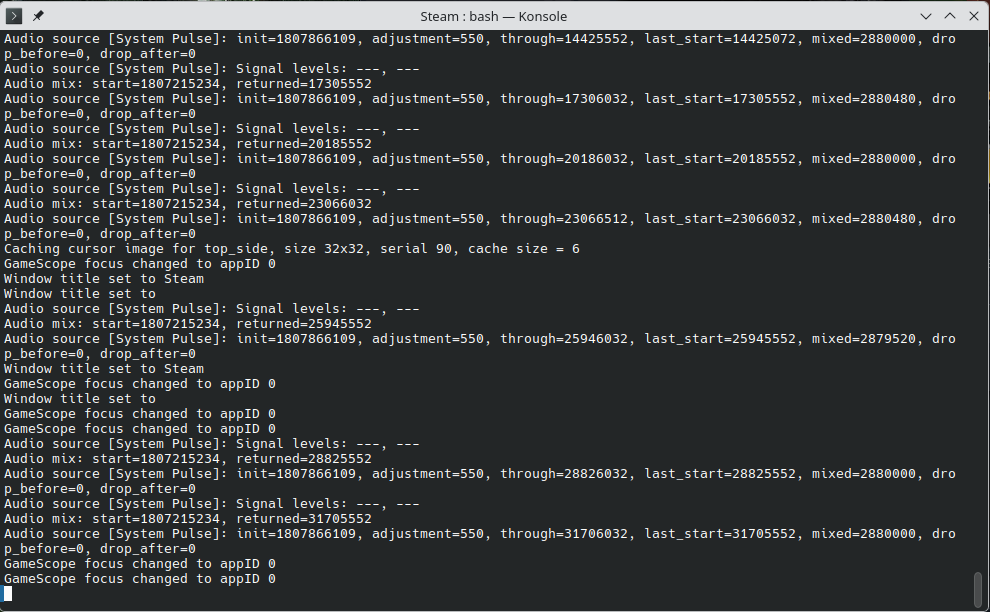
Here is a picture of where it gets stuck
Issue 3 (I don't know if this one is solvable): I used to have Windows 10 on this laptop and I could play American Truck Simulator on it with low settings, but on Kubuntu it doesn't launch.
Thanks in advance.
If you need more information just ask and i'll try to provide it.I had the same issue on my desktop PC with Steam. The issue was that it was unable to determine which GPU to use, so I had to create a shortcut for steam and edit as follows:
[Desktop Entry]
...
// Add the two lines below at the end of this section (omit this comment)
PrefersNonDefaultGPU=false
X-KDE-RunOnDiscreteGpu=true
It seems KDE prefers using the integrated GPU for some reason.
Edit: this only makes sense if your laptop has a discrete GPU, I assumed it because it says you have two of them.
As for the game not running, sometimes it’s incompatible with the graphics API used, some engines allow you to override that with a “launch argument” defined from within Steam and force DirectX 11 or Vulkan. I don’t know the game so I don’t know if it’s this.
Good luck!
Weird, it’s actually working better for me with the latest updates on Nvidia Wayland
Please share the logs in a text file.